
Web Downloader Tools Compared: What They Save and Break
By the Restorix editorial team · May 17, 2026 · 8 min read

Restore your website from the Wayback Machine
Get a free estimate in seconds — you only pay when you confirm. Failed restores refund automatically.
A hosting company went dark on a client over a weekend. No backups, of course. The site still answered on Monday morning, barely, and the first thing I did was point a web downloader at it and pull every reachable page before the lights went out for good. That is what these tools are for: grabbing what a server will still give you, quickly, before it stops giving.
A web downloader is not magic, though, and the four tools people actually reach for, HTTrack, SiteSucker, wget, and the browser's own save button, differ sharply in what they preserve. Here is what each one saves, what each one quietly breaks, and how to choose between them.
What a web downloader actually saves
Every web downloader works the same way under the hood. It requests a URL, parses the HTML that comes back, finds the linked assets and internal links, downloads those, rewrites the links so they work from your disk, and keeps going until the queue is empty. A crawler with a save button.
What lands on your drive:
- HTML pages, usually renamed so they open locally without a server
- CSS, JavaScript, and fonts referenced by those pages
- Images, videos, PDFs, and anything else the pages link to directly
- A folder structure that mirrors the original URL layout
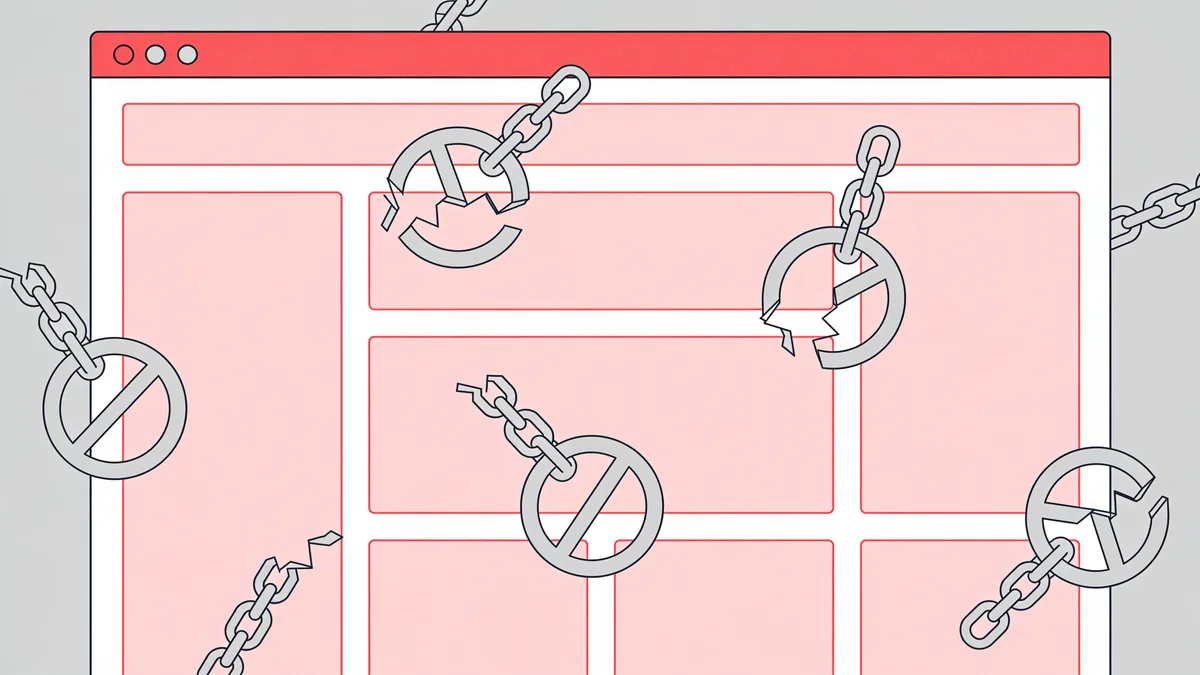
What does not land: anything the server builds on the fly. The downloader receives the same rendered HTML any anonymous visitor gets. The PHP, the database, the admin panel, the order history, none of that travels over the wire, so none of it comes home. A downloaded WordPress site is a statue of the site, not the site.
Two scope details decide what you end up with. First, discovery: a crawler only finds URLs linked from pages it already has, plus the sitemap if you feed it one, orphan pages with no inbound links stay invisible. Second, politeness: most tools respect robots.txt by default, and while HTTrack lets you override that, you should only do it on sites you own.
HTTrack and SiteSucker: the GUI options
Restore your website from the Wayback Machine
Get a free estimate in seconds — you only pay when you confirm. Failed restores refund automatically.
HTTrack (WinHTTrack on Windows) is the grandfather of the category: free, open source, and around since 1998. Paste a URL, pick a project folder, and it mirrors the site. The real value is in the options, crawl-depth limits, file-type filters, bandwidth caps, and scan rules that include or exclude URL patterns. I mirrored a 400-page photographer's portfolio with it in about twenty minutes, images and all.
Settings I actually change from the defaults:
- Maximum mirroring depth: leave unlimited for small sites, cap at 3 or 4 for big ones
- Scan rules: add an include pattern for the target domain so the crawl cannot wander off-site
- Flow control: two to four connections and a bandwidth limit on anything that is not your own server
- MIME types: exclude video on first passes, one forgotten webinar folder can be 40 GB
The catches: the interface looks its age, the last meaningful release was years ago, and it is blind to JavaScript. If a page builds its content in the browser, HTTrack saves the empty scaffolding.
SiteSucker is the Mac answer, a few dollars on the App Store. Paste a URL, press go, and it downloads in the background with sensible defaults, pause and resume included. Fewer knobs than HTTrack and the same JavaScript blindness, but for a quick clean mirror on macOS it is the least painful option.
wget for people who like terminals
wget is the scriptable option, installed on nearly every Linux box and one brew install away on a Mac. The classic full-mirror recipe:
wget --mirror --convert-links --adjust-extension --page-requisites --no-parent https://example.com
What each flag buys you:
- --mirror turns on recursion and timestamping, so re-runs only fetch what changed
- --convert-links rewrites links after the download so pages work offline
- --adjust-extension saves server-generated pages as proper.html files
- --page-requisites grabs the CSS, JS, and images each page needs to render
- --no-parent keeps the crawl below the starting path instead of eating the whole domain
Additions worth knowing: --wait=1 --random-wait keeps you polite on small servers, -c resumes an interrupted mirror without re-fetching finished files, and --load-cookies with an exported cookie file can pull pages behind your own login. And do not confuse wget with curl, curl fetches one URL beautifully, wget mirrors whole sites. People mix them up constantly.

Browser save: the built-in option
Ctrl+S, Webpage Complete, the downloader you already have. It saves one page plus a folder of assets. For a receipt, an article, or a contact page you need right now, it is fine. It even has one genuine superpower: the browser saves the page after JavaScript has run, so a React-heavy page that gives wget an empty shell comes through fully rendered.
The limits show fast. CSS background images and @import chains often go missing, links point back at the live site instead of each other, and there is no recursion, a 300-page site means 300 manual saves. One adjacent trick worth knowing: the SingleFile extension inlines every asset into a single self-contained HTML file, after JavaScript runs. For archiving individual JS-heavy pages it beats plain Ctrl+S cleanly. Save as PDF is a different beast: it captures appearance, not the page, and nothing in it works.
A web downloader session, start to finish
The first mirror of an unfamiliar site goes better with a routine. Mine:
- Check robots.txt and the site's terms before crawling, and use a wait flag on small servers regardless.
- Pick the scope: whole domain or one section. A no-parent rule or an HTTrack scan rule keeps a blog crawl from swallowing the shop next door.
- Run the mirror and watch the log. Repeated 403s mean bot detection; a flood of calendar or tag pages means your scope is leaking.
- Spot-check ten random pages offline, including one with a contact form and one heavy gallery. Broken now means broken forever.
- Compare the local file count against the site's sitemap. A big gap means JavaScript-rendered content or scope rules eating pages.
What every web downloader breaks
Pick any tool above and the same things fall apart, because the problems live in the medium, not the software:
| What breaks | Why it happens | Damage |
|---|---|---|
| Search, forms, logins | The server-side code is gone | Features dead on arrival |
| JavaScript-rendered content | Crawlers see the pre-JS HTML | Whole sections missing |
| URLs built inside scripts or inline styles | The link rewriter cannot parse them | Broken images and links |
| Query-string pages (?p=123) | Mangled or deduplicated filenames | Pages silently lost |
| Streaming video (HLS/DASH) | Segment URLs expire mid-download | Clips that never play |
Watch cross-domain assets too. Most crawlers stay on the starting host by default, so images served from a CDN subdomain or fonts from an external host get skipped unless you widen the scope, and then the saved pages come home full of broken references. There is also the SEO residue: canonical tags, Open Graph URLs, and absolute internal links still point at the old domain. Harmless in a personal archive, a real problem if the mirror goes back online.
A downloaded site is a statue: it looks exactly right, and nothing inside moves.
When a web downloader is the wrong tool
The obvious case: the site is already offline. A downloader needs a live server answering requests, and an expired domain or a dead host gives it nothing to crawl. The surviving copy sits in the Wayback Machine instead, and pointing wget at web.archive.org is misery: throttled requests, archive-rewritten URLs, an injected toolbar on every page, and snapshots scattered across years.
That is the job this website restore service exists for. It restores sites from archive snapshots with date-range selection, strips the archive cruft and old analytics, and shows the exact archived file count, total size, and a locked price before you pay anything.
Second wrong-tool case: you want the content, not the pixels, articles into a spreadsheet, products into a database. That is extraction, not downloading. And third: if the site needs its database-driven features back, a store, a forum, a static mirror gets you the look, not the machine. You need restoration plus a fresh backend.
From files to a live site again
A mirror folder is not a website. Putting it back online means hosting it somewhere, fixing absolute links, removing dead tracking scripts, and sorting out HTTPS. Doable by hand, or skip the plumbing: Restorix deploys restored sites straight to SSH/SFTP, FTP/FTPS, or S3, with a lightweight CMS included so the site is editable again, not just viewable. Either way, test the result on a phone before you call it done.
Restore your website from the Wayback Machine
Get a free estimate in seconds — you only pay when you confirm. Failed restores refund automatically.
FAQ
Is it legal to download a website with a web downloader?
Downloading pages a server hands out publicly is generally fine, those bytes are given to anyone who asks. What you do next is what matters. Republishing someone else's content wholesale is a copyright problem, and hammering a small server at full speed can breach its terms of use. Download your own sites, get permission for client work, and keep rate limits on for everything else.
Can a web downloader grab pages behind a login?
For your own accounts, yes. wget does it with --load-cookies and an exported cookie file; HTTrack has a catch-URL proxy trick that captures your session. Expect friction, sessions expire and CSRF tokens break crawls mid-run, so babysit the process. And never hand your cookies to an online tool.
Why does my downloaded site look broken when I open it?
Almost always one of three causes: absolute URLs still pointing at the live domain, assets loaded by JavaScript that the crawler never saw, or query-string pages saved under mangled names. Open the browser console on the local copy and read the 404s, they list exactly what the tool missed.
Can I run wget or HTTrack against the Wayback Machine?
Technically yes, practically miserable. You will hit rate limits, archive-rewritten URLs, toolbar markup baked into every page, and files pulled from snapshots years apart. A purpose-built restorer handles all of that for you, that is the whole reason Restorix exists.
What is the best web downloader for a full site?
HTTrack if you want a GUI on Windows or Linux, SiteSucker on a Mac, wget if you script. For a site that is already offline, none of them can help, there is nothing live to crawl, so restore from archive snapshots instead.
Related guides
wayback machine downloader
Wayback Machine Downloader Tools: What Actually Works
An honest look at Wayback Machine downloader tools: the open-source scripts, their real limits, and the done-for-you option that puts your site back online.

download entire website from archive org
Download an Entire Website from Archive.org, Not Just the Homepage
To download an entire website from archive.org you need every page, image and stylesheet. Assets hide under different timestamps, here is why, plus a full checklist.

online website extractor
Online Website Extractor Tools: Uses, Limits, and Safety
What an online website extractor pulls from a page: text, images, links, structured data. How online tools compare to local ones, and how to stay safe.

restoration websites
Restoration Websites: What Website Restoration Really Means
Restoration websites rebuild lost sites from web archives. How restoration differs from backups and redesigns, and the workflow from snapshot to live site.