
Internet Wayback Machine vs Internet Archive: What's the Difference
By the Restorix editorial team · June 11, 2026 · 7 min read

Restore your website from the Wayback Machine
Get a free estimate in seconds — you only pay when you confirm. Failed restores refund automatically.
Say 'internet wayback machine' out loud and nobody corrects you. The phrase sits on top of two things that share a roof at archive.org: the Internet Archive, a nonprofit digital library, and the Wayback Machine, its web archive. People fuse them into one long name. This guide untangles them, and shows what each one can do for you as a webmaster.
The short version: the Internet Archive is the whole library. The Wayback Machine is one very large shelf in it, the shelf holding over 900 billion saved web pages.
Why bother separating them? Because the practical questions are different. 'Where do I host this video for free?' is an Internet Archive question. 'What did my site look like before the hack?' is a Wayback Machine question. Knowing which room you're standing in saves you an hour of clicking the wrong menus.
The 'Internet Wayback Machine' Mix-Up
The confusion is understandable. Both services live at archive.org, one account works across both, and the names blur together in memory. Search suggestions happily autocomplete 'internet wayback machine', 'internet archive way back machine', and half a dozen other fusions. They all land on the same homepage.
The facts are simple enough. The Internet Archive was founded in 1996 by Brewster Kahle in San Francisco, with a stated mission of universal access to all knowledge. The Wayback Machine opened to the public in 2001, named after the WABAC time machine from the Rocky and Bullwinkle cartoons. Library first, time machine second.
Both are free to use. The Archive runs on donations, grants, and digitization work for libraries, which is why nobody has ever charged you to look at your own 2007 homepage, and why the occasional donation is money well spent.
The Archive is the building. The Wayback Machine is the room where the websites are kept.
What the Internet Archive Actually Is
Restore your website from the Wayback Machine
Get a free estimate in seconds — you only pay when you confirm. Failed restores refund automatically.
Think of it as a public library that never throws anything away. Beyond websites it preserves books and texts, millions of hours of audio, including the Live Music Archive's concert recordings, video and TV news, software you can often run in the browser through emulation, and image collections. Most of it is free to browse, borrow, or download.
For a webmaster, the useful corners are easy to miss: free hosting for media files with embeddable players, permanent uploads for documents you want to cite, and a research bench for checking what a company, product, or niche looked like years ago.
A concrete example. A client needed a ten-minute product demo on their restored site but had no video hosting budget. We uploaded the file to the Internet Archive, embedded its player, and moved on, no ads, no compression lottery, no takedown roulette. It's the quiet workhorse of the free web.
- Host audio and video without touching YouTube or Vimeo.
- Upload PDFs, manuals, and press kits with stable URLs.
- Borrow books for historical research on your market.
- Pull contemporary sources when you write about an industry's past.
What the Wayback Machine Adds on Top
The Wayback Machine is the Archive's web collection, and it's the part you already know: paste a URL, get a calendar, open the past. Over 900 billion pages saved since 1996. But three of its features are genuinely useful to site owners and get ignored.
- Save Page Now. Submit any URL at web.archive.org/save and the crawler captures it on demand. Free insurance for pages you care about.
- The CDX API. Query every capture of every URL on a domain programmatically, it's how auditors and restore tools map a lost site.
- Site-wide URL lists. The calendar's URLs view enumerates captured paths, which surfaces pages you forgot you had.
None of this hands you your site back as files, though. For that you need a restore step, more on that below.
One honest caveat about coverage. The Wayback Machine is enormous but not complete. Small regional sites may have solid captures from 2008 and almost nothing from 2012. Robots.txt blocks, login walls, and JavaScript-heavy pages all leave holes. Before you promise anyone a recovery, check the calendar for your domain and see which years actually have blue circles.
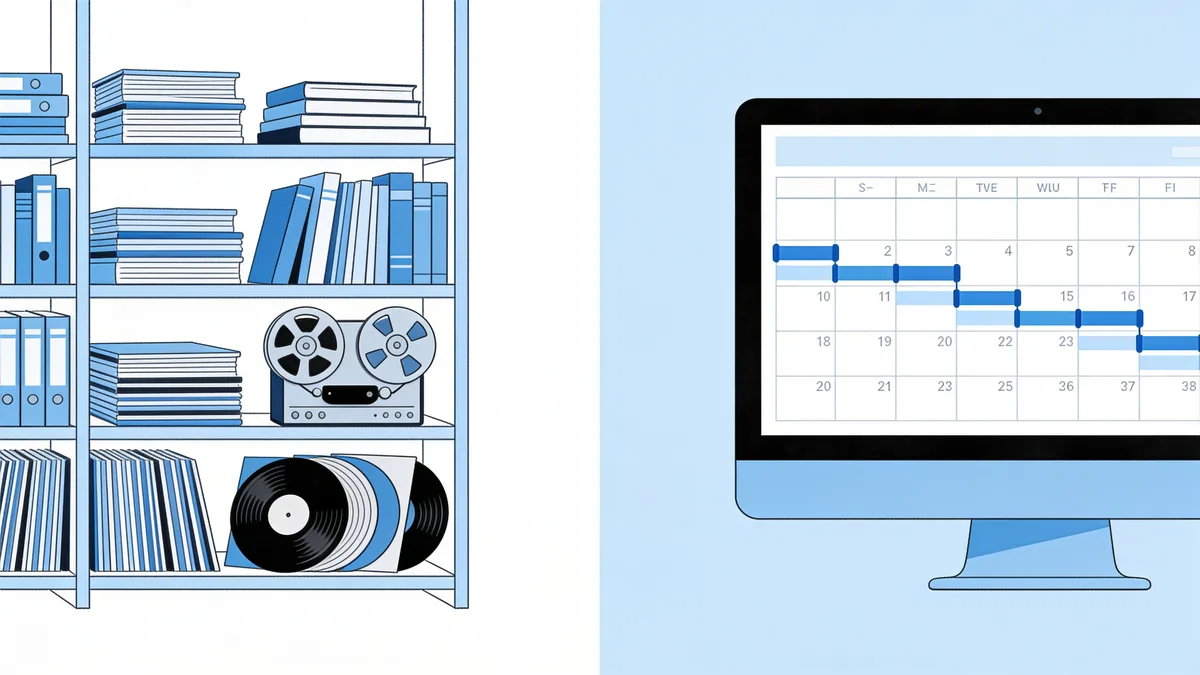
Internet Archive vs Wayback Machine, Side by Side
| Internet Archive | Wayback Machine | |
|---|---|---|
| What it is | Nonprofit digital library | Its web archive section |
| Started | Founded 1996 | Public since 2001 |
| Holds | Books, audio, video, software, images | 900+ billion web page captures |
| You can | Borrow, upload, host media | Browse old sites, save pages on demand |
| Webmaster's best feature | Free permanent media hosting | Recovering lost site content |
One sentence version: the Archive is the organization and the building; the Wayback Machine is the room where the websites are kept. You use the first for storage and research, the second for time travel.
What Each One Offers a Webmaster
Different problems, different tools. Need somewhere to put a 200 MB video for a client page? The Internet Archive hosts it free with an embed player. Need to prove what your homepage said in 2017? The Wayback Machine has the receipt. And if your site died, host went under, invoice lapsed, hack went uncleaned, the Wayback Machine is where the body is buried, and where the spare parts are.
Two habits worth building. First, submit important pages to Save Page Now after every big update; it takes ten seconds. Second, treat the archive as your offsite backup of last resort. It isn't a backup strategy, but it's a very good ambulance.
One more division of labor worth knowing. The Internet Archive side is where you put things you want the world to keep. The Wayback side is where you find things the world already kept, sometimes things you'd rather it hadn't. Old pricing pages, embarrassing blog posts, that 2011 flash intro: it's all there, and your competitors can see it too. Worth an occasional audit of your own history.

Restoring Your Site from the Internet Wayback Machine
Browsing a snapshot is free. Turning a few thousand snapshots back into a working website is not a copy-paste job, there's no bulk download, every asset is a separate capture, and the archive rewrites every link it serves. our restore tool exists for exactly this: paste the domain, get a free estimate with the exact archived file count and a locked price, pick a date range, restore. The first file is free, and you pay per restored file after that, no subscriptions.
Restorix cleanup options include stripping analytics and ads, forcing relative internal links, HTTPS conversion, and minified JS and CSS. When it's done you can deploy in one click to SSH/SFTP, FTP/FTPS, or S3, and the bundled single-file CMS at /webarchive-cms.php, with a per-site password in the dashboard, lets you edit content afterwards. The tutorial shows the flow end to end.
If a Restorix restore or deploy fails, the balance refund is automatic, no support tickets, no waiting on a human. That matters more than it sounds: archive work is full of surprises, and a tool that only charges for success is a tool aligned with you.
So Which One Do You Need?
- Recovering a lost website? Wayback Machine plus a restore tool.
- Hosting a video, audio file, or document for free? Internet Archive.
- Researching a company's history or an old market? Both, Archive texts for documents, Wayback for their site.
- Protecting pages you own right now? Wayback's Save Page Now after each update.
Whichever name brought you here, internet wayback machine, archive.org, the wayback thing, now you know which door to knock on. And if the door you need is the one marked 'get my site back', the calendar is waiting.
Restore your website from the Wayback Machine
Get a free estimate in seconds — you only pay when you confirm. Failed restores refund automatically.
FAQ
Is the internet wayback machine the same thing as archive.org?
Almost. Archive.org is the Internet Archive's website, the whole library. The Wayback Machine is the web-archive section inside it. When people say either name, they usually mean the Wayback Machine's calendar of old snapshots.
Who runs the Internet Archive and the Wayback Machine?
The Internet Archive, a US nonprofit founded by Brewster Kahle in 1996. It runs on donations, grants, and digitization services, not on charging you to browse old websites.
Can I add my own site to the Wayback Machine?
Yes. Use Save Page Now at web.archive.org/save, paste the URL and the crawler captures it within seconds. Do it after major updates so a clean copy always exists.
Does the Internet Archive keep everything forever?
It tries, but there are exceptions. Site owners can request removals, some content is excluded for legal reasons, and plenty was simply never captured. Treat any single snapshot as precious.
Can I download my entire site from the Wayback Machine?
Not directly, there's no export button. You can save pages one at a time, or use a restore service that maps every capture, rebuilds the files, and hands back a working site with the price locked up front.
Is everything on the Internet Archive free to use?
Browsing and most downloading is free, and uploading your own files costs nothing. Reuse rights depend on each item's license, check the rights statement on the item page before republishing anything you didn't create.
Related guides
internet archive way back machine
Internet Archive Way Back Machine: A Webmaster's Guide
How the Internet Archive Way Back Machine works, the nonprofit that runs it, what 900+ billion archived pages mean, and how webmasters use it day to day.

wayback machine archive org
Wayback Machine on Archive.org: A Practical Site Guide
A hands-on tour of the Wayback Machine on Archive.org: where it lives, how the search box and calendar really work, and how to leave with actual files.

archiveorg
Archiveorg: Inside the Internet's Biggest Free Library
Archiveorg is more than the Wayback Machine: free books, live music, TV news, playable software, and 900+ billion web pages. Full tour, plus file recovery.
archive org website
Archive.org Website: Advanced Search, Filters & Collections
Master the Archive.org website with advanced search operators, filters, and the collections that matter for old websites, plus when to use a restore tool.