
Archiveorg: Inside the Internet's Biggest Free Library
By the Restorix editorial team · May 31, 2026 · 7 min read

Restore your website from the Wayback Machine
Get a free estimate in seconds — you only pay when you confirm. Failed restores refund automatically.
People who type archiveorg as one word usually know where they are headed, they just do not always know how much is in the building. Most arrive for the Wayback Machine and never notice the lending library, the concert vault, the TV news archive, or the software museum running in the next tab. Fair enough. Here is the whole tour, with the web use cases for site owners saved for last, because that is where it stops being entertainment and starts paying for itself.
What Archiveorg Actually Is
Archiveorg, properly Archive.org, is the website of the Internet Archive, a nonprofit digital library founded in 1996 and based in San Francisco. Its mission statement is 'Universal Access to All Knowledge,' and the site is that ambition with a search box: one free account, no paywall, no ads, everything open to browse.
The front page is organized by media type, web, texts, video, audio, software, images, each with its own search and filters. An account is optional for browsing and required for borrowing books or uploading. Funding comes from donations, grants, and digitization contracts with libraries, which is why the site occasionally asks you to chip in a few dollars and otherwise leaves you alone.
The Wayback Machine: Archiveorg's Web Time Capsule
Restore your website from the Wayback Machine
Get a free estimate in seconds — you only pay when you confirm. Failed restores refund automatically.
The crown jewel. The Wayback Machine holds more than 900 billion captured web pages going back to 1996, the largest public record of what the web looked like at any given moment. Paste in a URL, get a calendar of captures, click a date, and the page loads as it was, broken banner ads and all.
Two features punch above their weight. Save Page Now, at web.archive.org/save, lets anyone archive a page instantly, use it after launches and migrations to pin a record you control. And the wildcard URL search, web.archive.org/web/*/example.com, enumerates captured addresses under a domain, which is how you find pages you forgot existed. For the full mechanics, calendar tricks, the id_ raw-file modifier, the Summary view, read the Wayback Machine walkthrough.
Captures are uneven, though. A busy news homepage might be saved thousands of times a year; a neighborhood bakery's site, twice. Robots.txt rules have hidden whole domains in the past, and anything behind a login never existed as far as the crawler is concerned. Treat a missing capture as inconclusive, not as proof a page never existed.
One caveat, stated plainly because it drives everything later in this article: the Wayback is a viewer. It shows you pages. It does not hand you a downloadable site.
Books, Audio, and TV You Can Borrow Free
The texts collection runs into the tens of millions: scanned books, academic papers, magazines, manuals. Through Open Library you can borrow modern scanned books for an hour or two weeks, and anything in the public domain downloads free in PDF, ePub, or Kindle formats. The magazine racks alone, old computer and gaming magazines, fully scanned, justify the visit.
Two quieter corners deserve a mention: the scholarly-papers index for open-access research, and the manual archive, where the documentation for every dead appliance in your garage seems to end up.
Audio is anchored by the Live Music Archive, well over a hundred thousand concert recordings, with the Grateful Dead section practically its own institution. Add old-time radio dramas and digitized 78s and you have years of listening. The TV News archive records broadcasts and indexes their captions, so you can find every mention of a topic across years of coverage. Then there is the Prelinger collection: thousands of old educational, industrial, and advertising films, the finest source of mid-century awkwardness anywhere online.

A Software Museum You Can Play
The software library is the sleeper hit: tens of thousands of MS-DOS games, arcade cabinets, console titles, and historical applications, all emulated in the browser. No installs, no fiddling with emulator config files, click, wait a few seconds, and you are playing 1993. Historical productivity software is there too, which sounds dry until the day you need to open a file format nothing modern reads.
The collection matters beyond nostalgia. It is a working preservation lab, proof that emulation keeps software runnable decades after its hardware died. Block an afternoon; you will lose it either way.
The arcade wing gets the press, hundreds of coin-op cabinets, but the quieter gems are the historical PC collections: early spreadsheets, desktop-publishing tools, entire operating systems booting in a browser tab. Developers use them to check how ancient file formats behaved; everyone else uses them to remember how patient people used to be.
Archiveorg for Site Owners and Webmasters
Now the part that pays for itself. If you run websites, Archiveorg is a free operations tool:
- Monitor your own footprint. Check your domain's capture history a few times a year. Gaps tell you when crawlers could not reach you, sometimes the first visible sign of a robots.txt mistake or a hosting problem nobody reported.
- Pin records with Save Page Now. Launching a redesign or migrating platforms? Save the key URLs before and after. Future-you, mid-incident, will be grateful.
- Vet expired domains. Before buying a dropped domain, review what it hosted. A domain that spent years as a spam farm carries that reputation into your project.
- Recover lost content. Backups fail; archives remember. Text and images pulled from snapshots have rescued more than a few 'we will never need that again' pages.
- Run competitive archaeology. When did a rival raise prices? Drop a feature? Rebrand? Their old pages are timestamped and public.
One more: evidence. Timestamped captures are routinely used to establish what a page said on a given date, in disputes, takedown cases, and due diligence. Screenshot the toolbar with the timestamp, not just the page.
Getting Real Files Out of Archiveorg
Viewing is not retrieving. If the job is 'rebuild this site', a client's WooCommerce store the host wiped, a community forum its admin abandoned, you need extraction. the platform is built for exactly this: it pulls the archived copy of a domain out of the Wayback Machine and hands it back as working files.
- Start with the free estimate: exact archived file count, total size, and a locked price. You know the cost before paying a cent.
- Pick a capture date range and cleanup options, remove old analytics, ads, iframes, and external links, minify assets, make internal links relative, force HTTPS, keep redirects.
- Pay per restored file; the first file is free. Top up the balance once, nothing recurs, and failed restores refund automatically.
- Download the result, export articles as XML, CSV, or JSON with a full file manifest, or deploy to your server in one click. The bundled Restorix CMS lets you edit restored content without touching code.
For domain-rescue specifics, lapsed domains, dead hosts, sites with missing assets, the old website recovery guide goes deeper, and the tutorial shows a full restore from estimate to deploy.
What the Library Won't Do for You
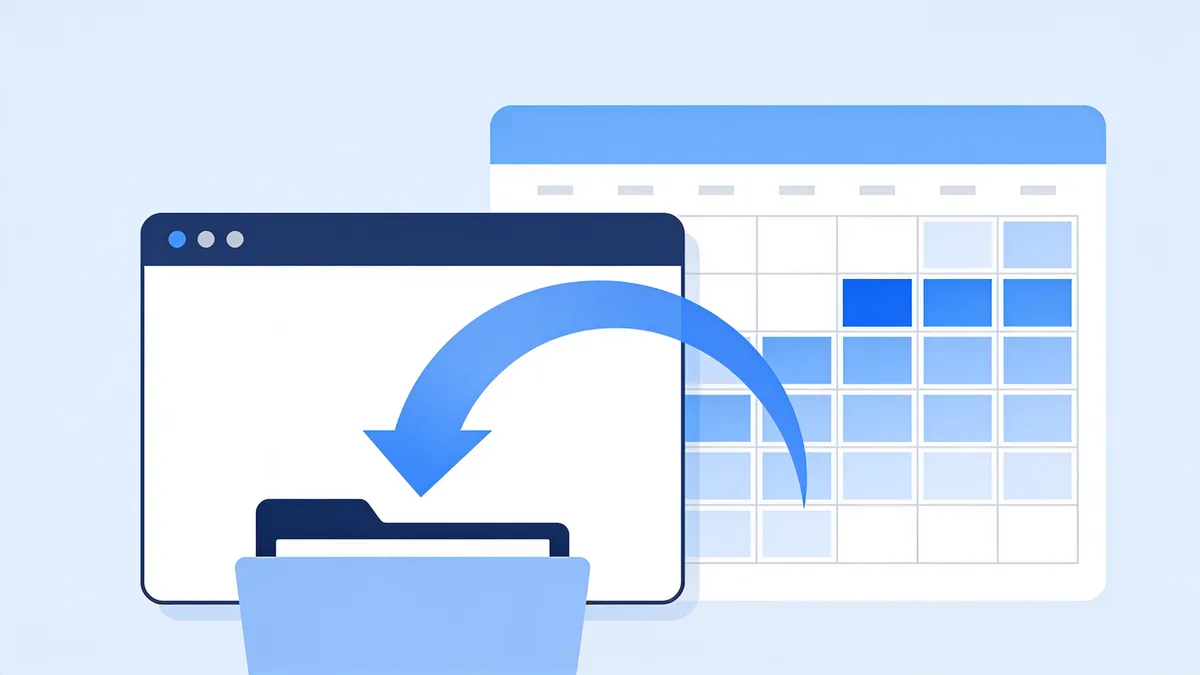
A short, honest list. It is not your backup: crawl frequency is out of your control, and JavaScript-heavy modern sites capture poorly. There is no full-text search across the web archive, URLs, not page text. Logged-in and paywalled content was never crawled. Site owners can request exclusion, so some domains simply are not there. And on the web side there is no bulk download, which bears repeating because it is the question everyone arrives with.
None of this dents the value. It is a free public library holding a petabyte-scale memory of the web, run by a nonprofit on a budget that would embarrass a mid-size startup. Treat it as the first place to look, and know where to go when looking stops being enough.
Restore your website from the Wayback Machine
Get a free estimate in seconds — you only pay when you confirm. Failed restores refund automatically.
FAQ
Is Archiveorg free?
Yes. Browsing every collection is free, accounts are free, and there is no premium tier. The Internet Archive is a donation-funded nonprofit; it will occasionally ask for a contribution, never a subscription.
Do I need an account to use Archiveorg?
Only for borrowing books, uploading your own files, or extras like Save Page Now's outlink capture. Everything else, the Wayback Machine, the software emulator, the concert recordings, works with no login at all.
Is Archiveorg legal to use?
Yes. It operates as a library: archiving public web pages, digitizing public-domain works, and lending scanned books one reader at a time under controlled digital lending. Some of its lending practices have been challenged in court by publishers, but reading, listening, and researching on the site is unambiguously fine.
How do I find my old website on Archiveorg?
Go to web.archive.org and paste the domain. The calendar shows every capture on record. To enumerate the pages under the domain, use the wildcard search: web.archive.org/web/*/yourdomain.com.
Can I download a whole website from Archiveorg?
Not from the Wayback Machine itself, captures are view-only with no bulk export. A restore service like Restorix extracts the archived files, cleans them up, and packages the site for download or redeployment to your hosting.
Does Archiveorg have an API?
Yes. There are public APIs for item metadata and advanced search across collections, plus the Wayback Machine's CDX API, which lists every capture of a URL. Save Page Now has an API too, for automated archiving.
Related guides
internet archive way back machine
Internet Archive Way Back Machine: A Webmaster's Guide
How the Internet Archive Way Back Machine works, the nonprofit that runs it, what 900+ billion archived pages mean, and how webmasters use it day to day.

wayback machine archive org
Wayback Machine on Archive.org: A Practical Site Guide
A hands-on tour of the Wayback Machine on Archive.org: where it lives, how the search box and calendar really work, and how to leave with actual files.
archive org download
Archive.org Download Formats: WARC, CDX & Single Files
What each Archive.org download format actually contains, WARC captures, JSON CDX indexes, and single original files, and what to do with each one.

old website recovery
Old Website Recovery: Getting a Site Back After Years Offline
Old website recovery explained: what survives in archives and backups after years offline, what is gone for good, and how to rebuild step by step.