
The History of Internet Sites: Saved, Lost, and Why
By the Restorix editorial team · May 29, 2026 · 8 min read

Restore your website from the Wayback Machine
Get a free estimate in seconds — you only pay when you confirm. Failed restores refund automatically.
In April 2009, Yahoo announced it was closing GeoCities. Thirty-eight million user pages, MIDI files, animated construction signs, fan shrines to everything from The X-Files to tropical fish, were scheduled for deletion that October. A volunteer crew called Archive Team spent six months downloading as much as their bandwidth allowed and released the haul as a torrent. A slice of the early web survived because strangers decided it should. Most of the early web was not that lucky.
This is a look at what actually got preserved from the first decades online, what is gone permanently, and the technical and social reasons behind both. If you are trying to recover one specific old site, skip to the last section, that part is for you.
The history of internet sites is younger than you think
The web went public in August 1991, when Tim Berners-Lee announced the World Wide Web project from CERN and pointed people at info.cern.ch. Nobody archived it. There was nothing to archive with, large-scale web crawlers were still years away, and the idea of deliberately preserving websites struck most people as hoarding.
The Internet Archive was founded in May 1996 by Brewster Kahle, with crawl data flowing in from Alexa Internet. The Wayback Machine itself opened to the public in October 2001, already holding 10 billion pages. Today it holds more than 900 billion. Impressive, but the gap matters. From 1991 to 1996 there was no systematic archiving at all. When CERN restored the first website at its original address in 2013, the oldest copy anyone could locate was from November 1992. The 1991 original, arguably the most important page in web history, survives only in screenshots and reconstructions.
Everything from that five-year hole survives by accident: a sysadmin's backup tape, a CD-ROM bundled with a magazine, an FTP mirror someone forgot to delete.
Who saved what: archivists, volunteers, and libraries
Restore your website from the Wayback Machine
Get a free estimate in seconds — you only pay when you confirm. Failed restores refund automatically.
Four groups did the saving, each with different motives and different coverage.
- The Internet Archive runs continuous crawls and accepts public Save Page Now submissions. It is the default memory of the web and the first place to check.
- Archive Team is a volunteer rescue collective that mobilizes when a service announces a shutdown. GeoCities in 2009, Google+ and Yahoo Groups in 2019, they grab what they can and release it as torrents.
- National libraries archive selectively. The UK Web Archive has operated under legal deposit since 2013; Australia's PANDORA archive has curated notable Australian sites since 1996.
- Common Crawl has published massive open crawl datasets since 2008, invaluable for researchers, but there is no friendly calendar interface for casual browsing.
Worth a separate mention: archive.today, running since 2012, takes on-demand snapshots and often holds pages the Internet Archive missed, especially ones blocked from IA crawls.
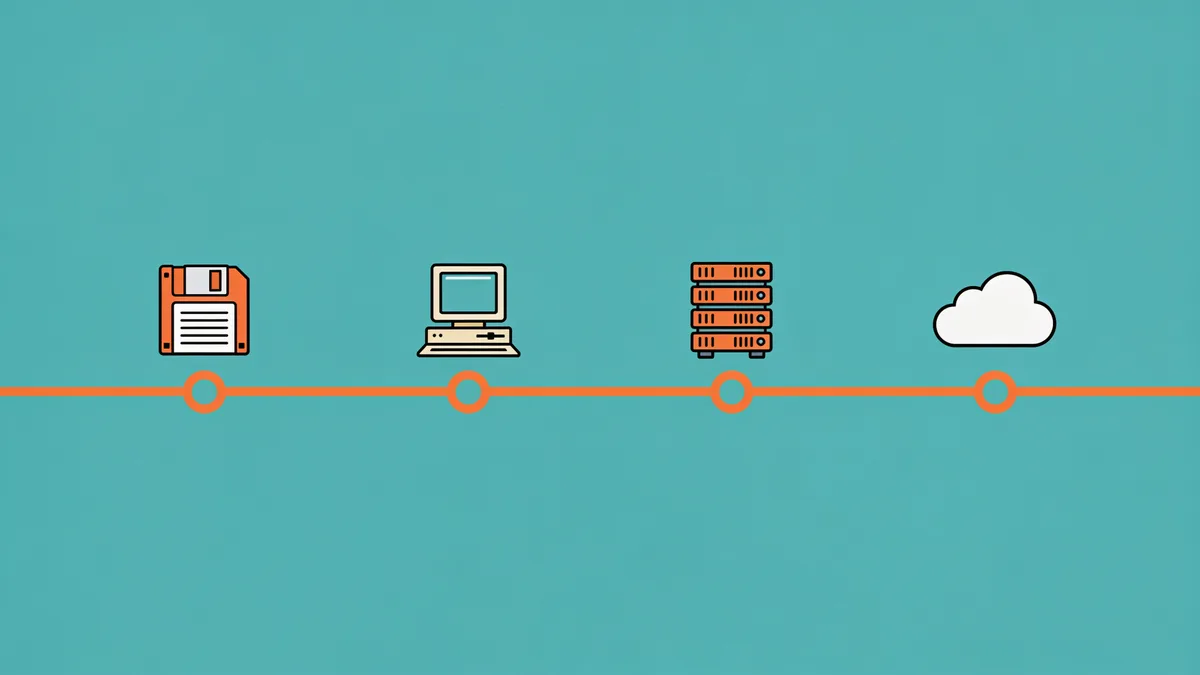
What the history of internet sites kept: static, public, popular
Look at what survived best and a pattern jumps out. Archives are biased toward whatever a crawler could reach cheaply and often.
- Static HTML pages with plain links, the crawler's native diet.
- Images and files linked directly from a captured page, at least when file sizes were sane.
- Pages with many inbound links, because crawlers follow links and popular pages got recrawled constantly.
- Sites whose robots.txt allowed crawling, a single Disallow: / hid everything.
- Text of any kind. It compresses beautifully and serves back fast.
A hand-coded 1998 personal homepage, purple background, visitor counter, links page, is usually retrievable in full, GIFs included. A 2008 online store with ten times the cultural footprint often is not. Popularity and simplicity beat everything else.
What's gone for good, and why
The losses cluster into a few predictable buckets, and the biggest one is a plain text file. Until a policy change in 2017, the Internet Archive honored robots.txt exclusions and applied them retroactively, one file edit could hide years of existing captures from public view. Domains get sold, the new owner slaps on a restrictive robots file, and a decade of history goes dark overnight. Countless sites vanished from the archive this way while the data technically still existed.
Anything behind a login was never crawled: private forums, early social networks, members-only communities. Friendster's 2011 redesign wiped years of profiles in one deploy. Dynamic, database-driven pages were crawled inconsistently at best, crawlers handle GET links, not POST forms, so search results, shopping carts, and filtered listings effectively never existed as far as archives were concerned.
Heavy media fared badly too. Streaming audio and video from the RealPlayer era, Java applets, and anything served over odd protocols were skipped or captured broken. Flash is the famous edge case: the.swf files were often saved but sat unplayable for years, until the Ruffle emulator made many of them run again in 2020. The Flash pieces nobody captured are simply gone.
The numbers are grim even for the recent web. Pew Research found in 2024 that 38 percent of pages that existed in 2013 were no longer accessible. A Harvard study of link rot found about half the URLs cited in U.S. Supreme Court opinions already dead. Preservation is the exception. Decay is the default.
Why dynamic sites broke archiving
A crawler fetches URLs. That is the whole trick. A 2005 phpBB forum or an osCommerce shop is not a collection of URLs, it is a database wearing URLs as a costume, generating pages on demand from query strings like viewtopic.php?t=4821&start=40. The URL space is effectively infinite, so crawlers sample it. They catch the index pages and whatever threads were well-linked that month, and miss the rest.
Sessions and cookies make it worse: the same URL returns different content per visitor, so a capture may store a logged-out stub or a redirect. And there is a blunt economic angle, text is cheap to fetch and store, media is not. Throttled crawls skipped large files to keep costs down, which is why so many archived pages load as text with gray holes where the images used to be.
The result: archives usually hold a site's skeleton, home pages, static articles, a few well-linked threads, but not the living organism. The search box, the member list, the checkout flow: those were never capturable in any meaningful sense.
How to explore the history of internet sites yourself
For a specific site, the workflow is short:
- Enter the domain at web.archive.org. The sparkline above the calendar shows capture density by year, busy years mean thorough coverage.
- Open the oldest capture first, then walk forward. Early captures reveal the original structure and old URL patterns.
- Hunting a specific URL? Query the CDX index or paste the address straight into the Wayback bar, my guide to finding every page a site ever had covers the API tricks.
- Cross-check archive.today for anything the Internet Archive missed.
- For pre-1996 material, look for operator-run mirrors, university collections, and nostalgia projects rather than formal archives.
If you want the big picture rather than one page, our walkthroughs on how to search website history and dig into website history research cover the calendar, collections, and alternative archives in detail.
When browsing the past isn't enough
The Wayback Machine is a reading room, not a restore button. The day you need the actual site back, the files, the images, internal links that work on your own domain, manual saving falls apart after about a dozen pages. Right-click, save-as, fix paths, repeat: that is an afternoon per section, and the result is a folder of fragments.
Restorix's web restoration tool exists for exactly that job. Paste the domain and the free estimate shows the exact archived file count, total size, and a locked price before you pay anything. You pay per restored file, the first file is free, and restores can be filtered by date range and cleaned, old analytics and ads stripped, links made relative, HTTPS enforced. The rebuilt site deploys to your own hosting in one click, or exports as structured data. The tutorial shows the full flow.
The history of internet sites is patchy, but what survives is usually recoverable if you use the right tool for the job.
Restore your website from the Wayback Machine
Get a free estimate in seconds — you only pay when you confirm. Failed restores refund automatically.
FAQ
How far back does the history of internet sites go in the Wayback Machine?
Captures begin in 1996, when the Internet Archive started crawling. The web itself began in 1991, so the first five years exist only in private backups and reconstructions, CERN's restored first website, for example, comes from a November 1992 copy.
Is everything from the early internet archived somewhere?
No. Pages blocked by robots.txt, content behind logins, heavy media, and dynamically generated pages were rarely captured. If neither the Wayback Machine nor archive.today has a page, it most likely survives only in private hands, if at all.
Why does an old page show 'not in archive' when the site is definitely old?
Usually one of four reasons: robots.txt blocked crawlers, the page had no inbound links for crawlers to follow, it was generated dynamically, or the domain's captures were hidden after an ownership change. Age alone never guaranteed coverage.
What happened to all the GeoCities sites?
Yahoo deleted them in October 2009. Archive Team rescued a large slice and released it as a torrent of roughly 900 GB, and mirrors like Reocities keep portions browsable. Many GeoCities pages also live in the Wayback Machine, but a full official backup was never made public.
Can a site owner erase their site from web archives?
The Internet Archive honors removal requests from site owners, and robots.txt changes historically hid captures retroactively until the 2017 policy shift. Domain sales have erased public access to archives this way. Deleting a site from your server, however, does not remove existing captures by itself.
Does deleting my website remove it from the Wayback Machine?
Not automatically. Captures already taken remain available unless the domain owner files an exclusion request. If you want something gone from the archive, you have to ask, simply taking the site offline leaves the history in place.
Related guides

website history
Website History: Snapshots, WHOIS, DNS, and the Tools for Each
Website history can mean archived snapshots, WHOIS records, DNS changes, or old rankings. Learn which tool answers which question, and how to rebuild a lost site.

search website history
How to Search Website History Before Buying a Domain
Search website history before you buy a domain: old snapshots, ownership flips, spam baggage, and trademark traps, a 30-minute due-diligence workflow.
historical web
The Historical Web as a Research Resource: What Holds Up
How academics, journalists, and lawyers use the historical web: where the records live, how to judge preservation quality, and when a capture counts as evidence.

wayback machine
Wayback Machine: The Complete Guide to Browsing Web History
The Wayback Machine archives over 900 billion web pages. Learn how crawls, snapshots, the calendar, and search syntax work, and how to restore a lost site.